







WhatsApp
Interactive previewNervenetYour agent, one message away.
A LITTLE LATER, FROM YOUR PHONE
Your approval, your call.
Create project-brief.md in your project folder?
Illustrated conversation. No account is connected and no files are changed.
Desktop AI agent · Windows, macOS, Linux
Meet your desktop crew. Nervenet brings tools, files and subagents together to code, research and turn your ideas into work you can review.
Say hello to the jellyfish. A little click makes its day.
One idea. Five little helping hands.
From a conversation to something real
Plan in the chat. Follow the steps. Open the result beside your conversation, and decide what happens next.
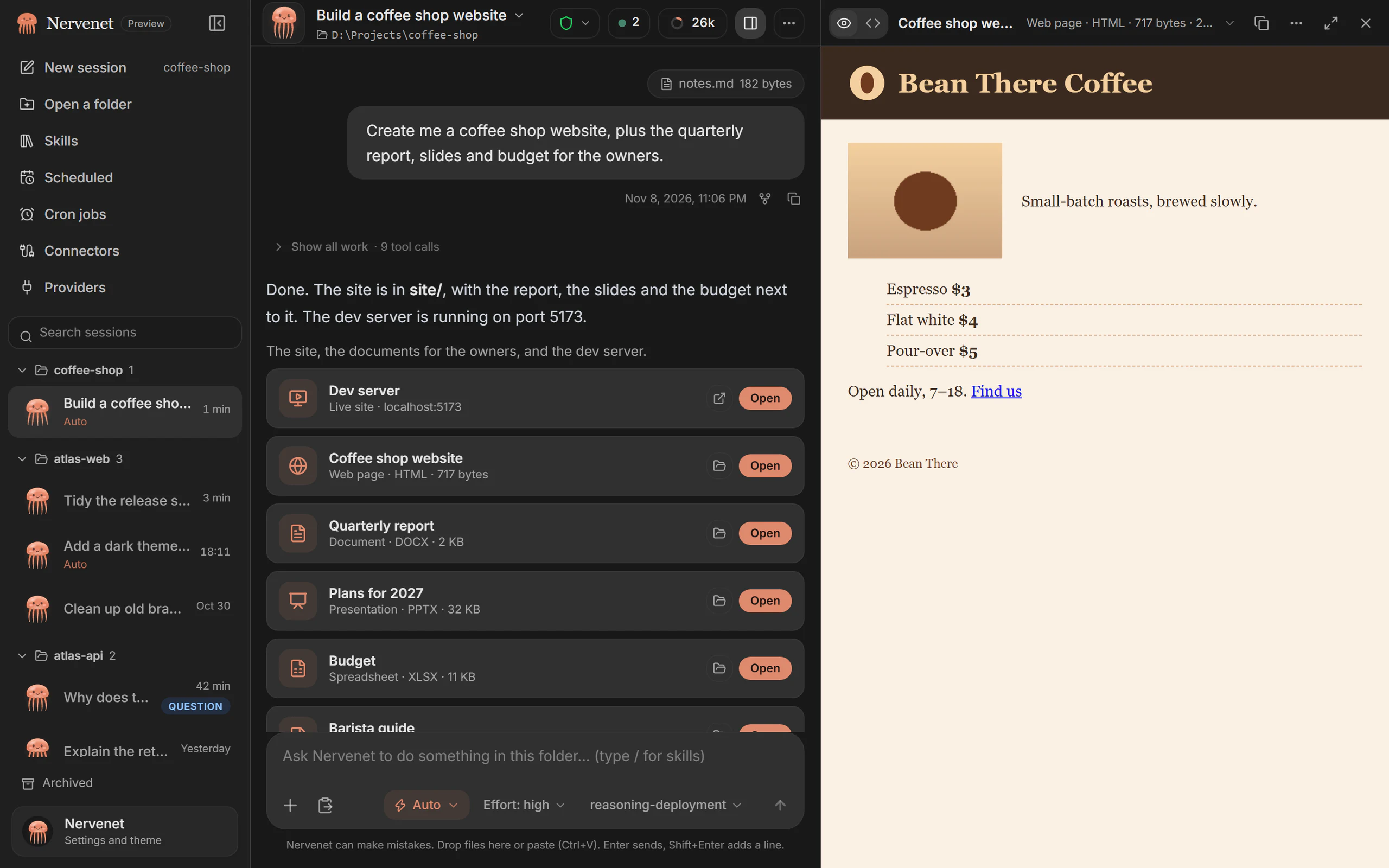 Step inside the app
01 The nerve net
A jellyfish has no central brain. It has a nerve net: a signal spreads, and the whole body moves as one. Nervenet works the same way. You set one goal, and its tools, your files and its subagents move together toward it.
Open a folder and say what needs doing, in your own words. Nervenet sketches a plan.
02 What’s in the net
One agent, a whole network of possibilities. Scroll to turn the net, drag to explore it, or pick a node.
OpenAI, Anthropic, local servers such as Ollama or LM Studio, and other OpenAI-compatible APIs. Choose the model for each chat.
03 Subagents
Big jobs have smaller parts. Nervenet can hand those parts to focused helpers, keep track of their work and bring their reports back to your main chat.
A general-purpose helper can work on an assigned part of the job, using the access and approval rules of the parent chat.
Pick a helper. Follow its part of the job.
An illustrated crew. In the app, follow actual helpers in the Agent map.
04 Work it can take on
Nervenet helps across professions. Pick a task, give it the right folder, and review what it makes.
05 Inside the app
Swim through the real interface. The captures use scripted demo data.
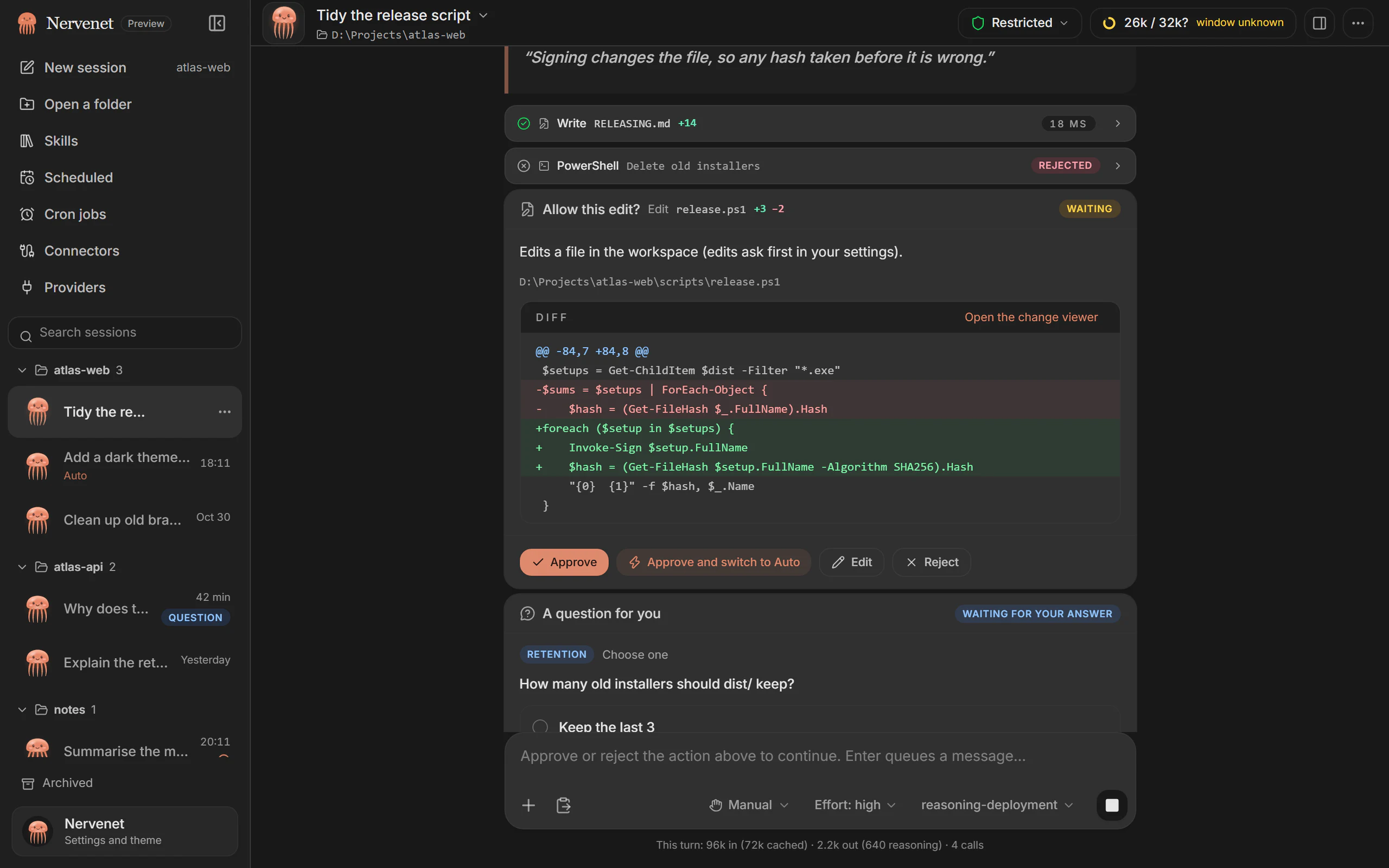
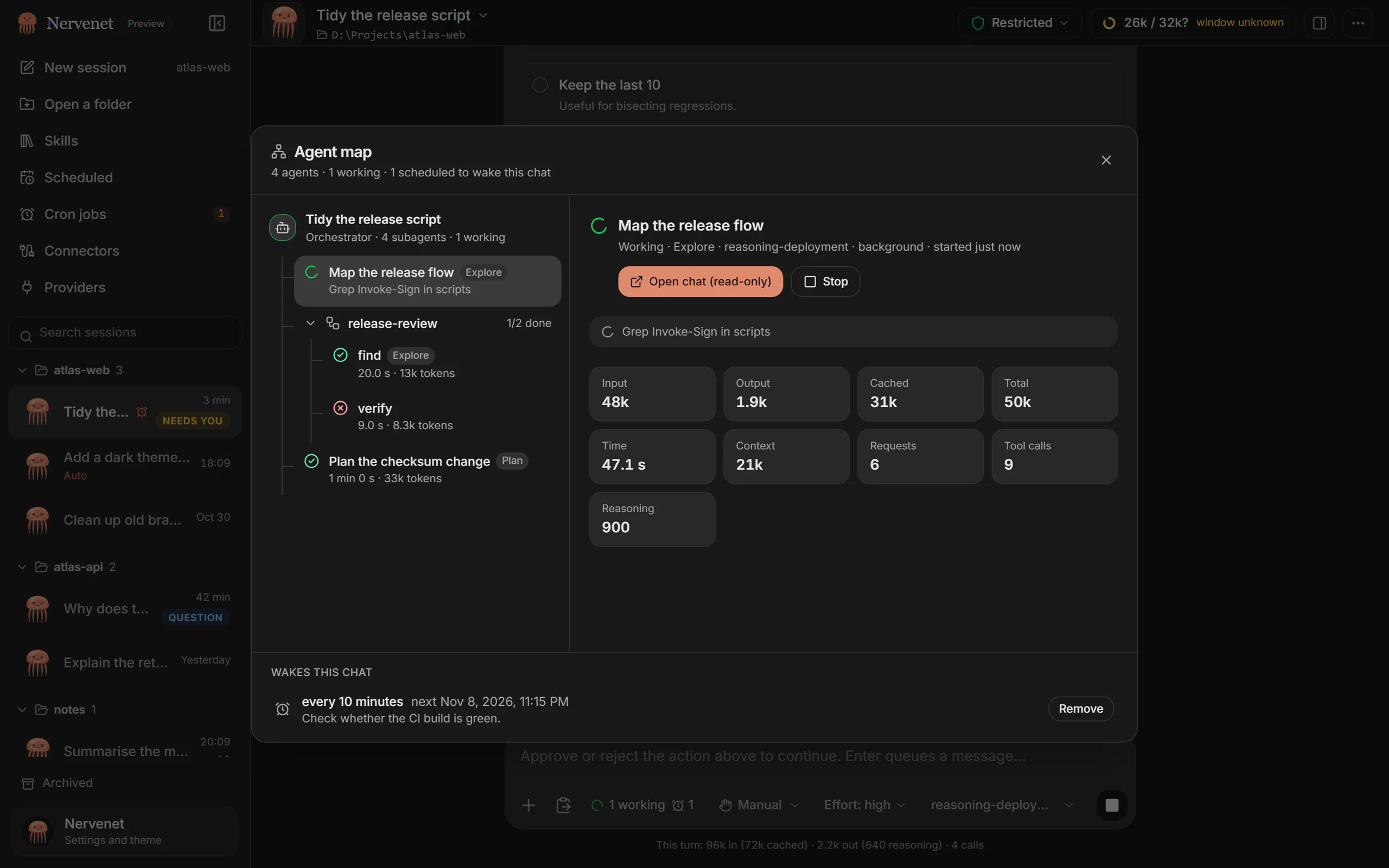
In Manual mode, Nervenet shows the file, the proposed edit and why it is asking. Approve it, edit the arguments, or reject it.
06 Scheduled work
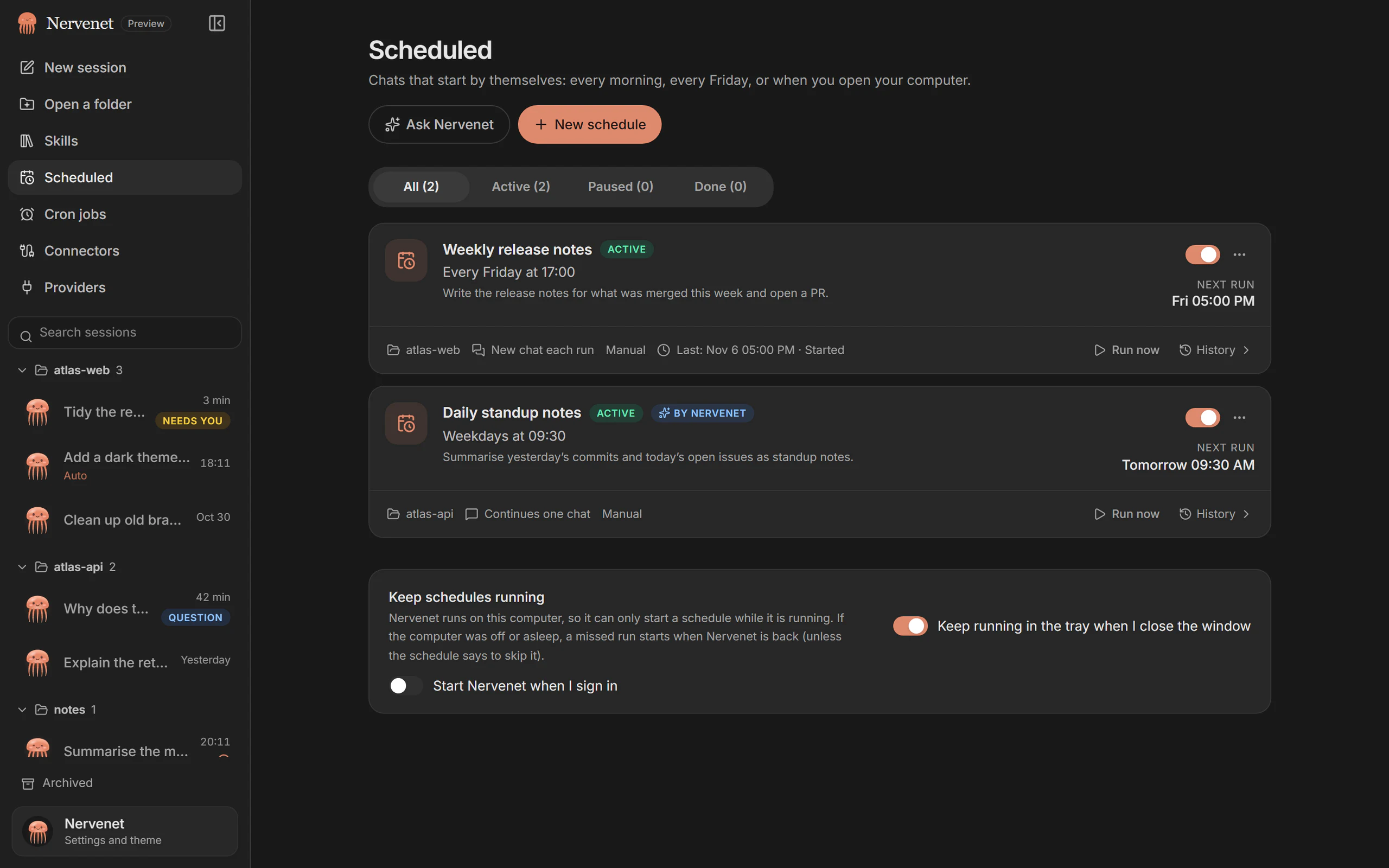
Hand off the repeated steps. Schedule chats, keep long tasks moving and get updates through your connected channels. Nervenet can stay in the tray and start at sign-in.
Your computer must be on and Nervenet running. Missed runs start when it comes back.
07 Messaging channels
An idea on the train. A task between meetings. Message Nervenet from the apps you already use, and keep the work moving on your computer.
Open Settings → Channels in the desktop app and connect your service.
Pair your account. Set who can chat, see conversations and approve actions.
Progress, questions, approval requests and files return to the same conversation.
Signal needs signal-cli. SMS uses a Twilio number. Incoming event webhooks need the listener and, for external delivery, a public tunnel you configure.
Create project-brief.md in your project folder?
Illustrated conversation. No account is connected and no files are changed.
Link your own WhatsApp by QR code, or configure WhatsApp Business. Personal linked-device setup is unofficial; Business uses the Cloud API.
Available while your computer is on and Nervenet is running. Service setup and availability vary by platform.
08 A face for your agent
Soft fur, curious eyes, a little personality. Meet the companions from the desktop app, and find the one that feels like you.
Fox swims right behind Nervenet. For the clever detours.
Your session, your companion 02 / 08
For the clever detours.
Small details. Real personality.
From the first idea to the finishing touches. Your pet stays with the conversation, with a different rhythm for thinking, working and waiting.
A playful rhythm to keep you company while your agent works.
09 Questions
Give it a task and a project folder. Nervenet can read and edit files, run commands, research the web, delegate work to subagents, and show you the files it produced.
4000 m The deepest point
Download Nervenet for Windows, macOS or Linux. It’s free.